Review Comments (1) Screenshots (6) Questions & Answers (0) Votes (2) Awards (9) Wiki  
(2)
DbVis Software
8.0.7
www.dbvis.com
Freeware
729 people
Download DbVisualizer

22.92 MBDownloaded 1150 times


Review

This is official description

DbVisualizer is the universal database tool for developers and database administrators. It is the perfect solution since the same tool can be used on all major operating systems accessing a wide range of databases.
DbVisualizer is available in two editions:
- DbVisualizer Free
- DbVisualizer Personal (commercial)
 
The following review written by one of the Software Informer contributors applies to version 6.0

DbVisualizer is a very helpful tool for both administrators and developers, focused on database visualization and administration. The user is able to quickly connect, visualize details, explore the structure, execute SQL statements and perform many other operations on many database servers.

DbVisualizer uses JDBC drivers to establish connections to all major relational databases, including DB2 (Win/Linux), Informix IDS, JavaDB/Derby, MySQL, Oracle, PostgreSQL, SQL Server, Pervasive, SAP DB and more.

Moreover, thanks to the power and stability of Java environment and YFiles, an advanced visualization library, DbVisualizer can generate entity-relationship diagrams easily and very fast, choosing between different visualization modes (Hierarchic, Organic, Orthogonal, and Circular) and format options to show into the diagram (e.g. what content to show in each node: just the node name, node name with primary keys, or all the table fields) as well as graph controls like zoom, animation, bridge links, etc.

DbVisualizer requires Java VM 1.6 to use, and from the download page you can choose to download both the installer with Java VM included and the one without Java.
  • Multi Platform (Build on Java)
  • Excellent support for generating of relational diagrams.

Reviewed by: Martín Palacio Pentucci

Reviewer rating:

Reviewed: 3 years ago

What's new in version 8.0

Improvements :
- DB Support: Mimer SQL
Show error position in the SQL log when running a statement in SQL Commander
- Explain Plan
The node tooltip should be disabled while in the magnifying mode
- Grid Component
Allow using the SPACE key to select entries in editable cell lists
[http://www.dbvis.com/forum/thread.jspa?threadID=3504 ]
- Grid Component
Enable the hex viewer for any data type and not only binary/BLOB
- Grid Component
The read-only only cell viewer window should include the button to convert XML (and any other formatted views) to plain text
- Key Bindings
Command-W should close tab/internal windows rather than Commands-F4 when using OS X key map
- Table Data Editor
Column names specified in different case may result in table data editing being disabled
Report a wrong version Report a wrong program title Suggest a correction

Screenshots

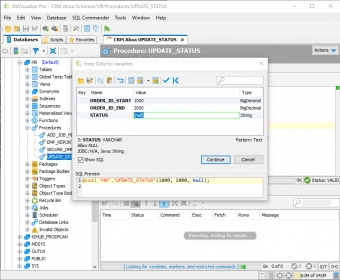
Main window Main window Main window Main window Main window Main window Program options Program options
All 6 screenshots

Latest comments

Marce(beginner) 2 years ago 
how can i view in the references view the nulable properties of a columns.?
Reply
Add new comment

E-mail Address:

Password:

Register now »

Forgot password?

Sign in with:
.sql DbVisualizer SQL file
Download Software Informer Client
Copyright © 2012, Informer Technologies, Inc. About| Privacy and terms| Help| Feedback & Support| Partners program